Getting Started
1. Install SimpleX CLI (required)
Official installer:
curl -o- https://raw.githubusercontent.com/simplex-chat/simplex-chat/stable/install.sh | bashIf the official installer resolves the wrong Darwin/Linux target on your host, use this temporary arch-matrix installer:
curl -o- https://raw.githubusercontent.com/dangoldbj/simplex-chat/install-arch-matrix/install.sh | bashVerify CLI is available:
simplex-chat -h2. Install package
npm
npm i @dangoldbj/openclaw-simplexpnpm
pnpm add @dangoldbj/openclaw-simplexyarn
yarn add @dangoldbj/openclaw-simplex3. Register with OpenClaw
Install plugin in OpenClaw:
openclaw plugins install @dangoldbj/openclaw-simplexEnable plugin:
openclaw plugins enable simplexTrust the plugin explicitly:
openclaw config set plugins.allow "$(
  (openclaw config get plugins.allow --json 2>/dev/null || echo '[]') \
  | jq -c '. + ["simplex"] | unique'
)" --strict-json
This appends simplex to the existing allowlist instead of replacing it.
plugins enable simplex only enables the plugin. OpenClaw will not start the SimpleX runtime until channels.simplex.connection is configured.
4. Configure channel
Managed mode via CLI:
openclaw channels add --channel simplex --cli-path simplex-chatOr write config directly:
{
  "channels": {
    "simplex": {
      "enabled": true,
      "connection": {
        "mode": "managed",
        "cliPath": "simplex-chat"
      },
      "dmPolicy": "pairing",
      "allowFrom": ["*"]
    }
  }
}
5. Restart OpenClaw
Restart OpenClaw so plugin/channel registry reloads.
6. Verify
openclaw plugins list
openclaw plugins info simplex
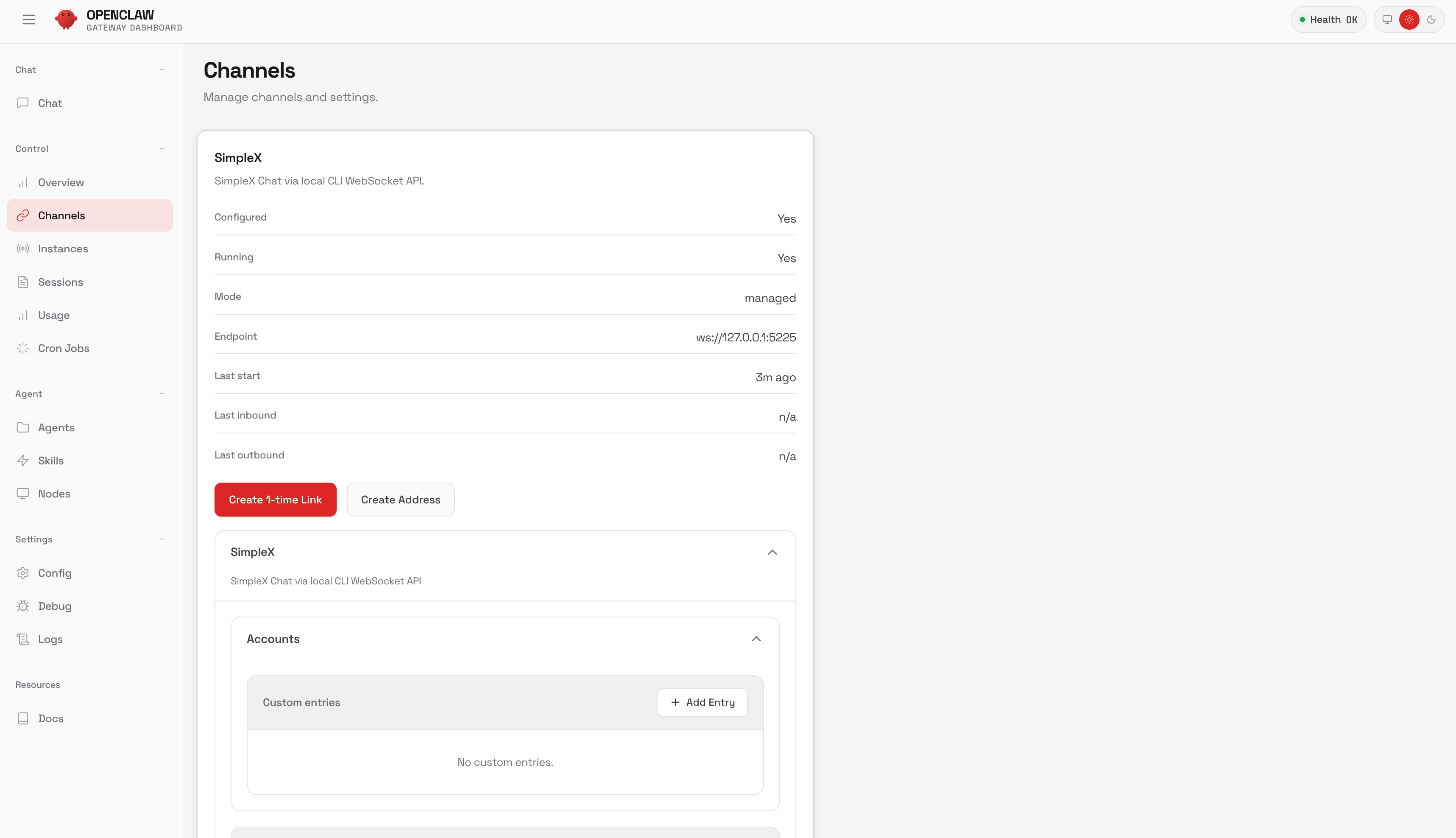
In Control UI, open Control -> Channels -> SimpleX:
Note: the current SimpleX card is a config editor. For this external plugin, the interactive openclaw channels add picker may not list SimpleX yet.
7. Create a 1-time link
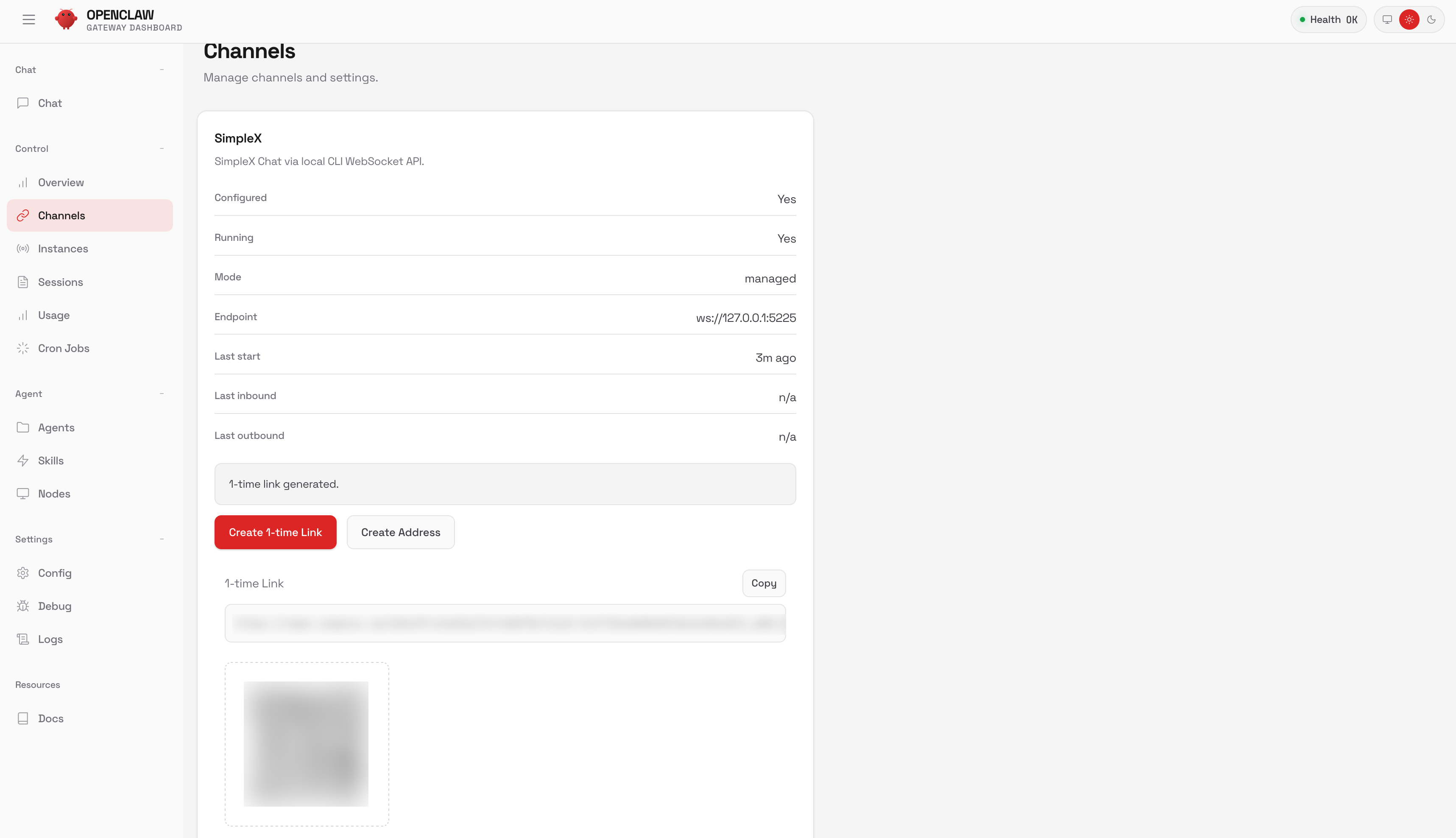
Click Create 1-time Link, then copy the link or scan the QR.
8. Pair in the SimpleX app
Open the SimpleX app and scan the QR (or open the copied link).
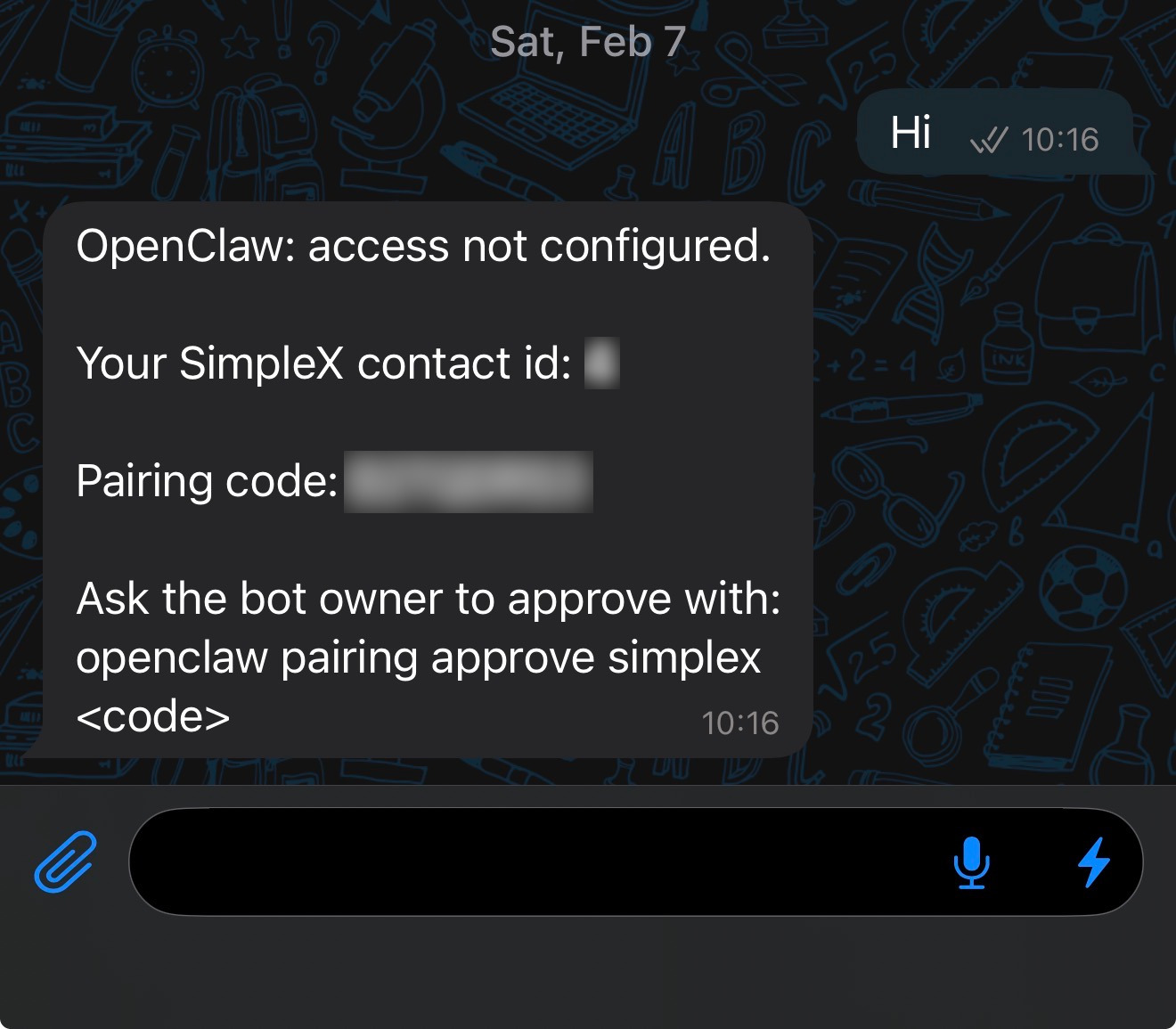
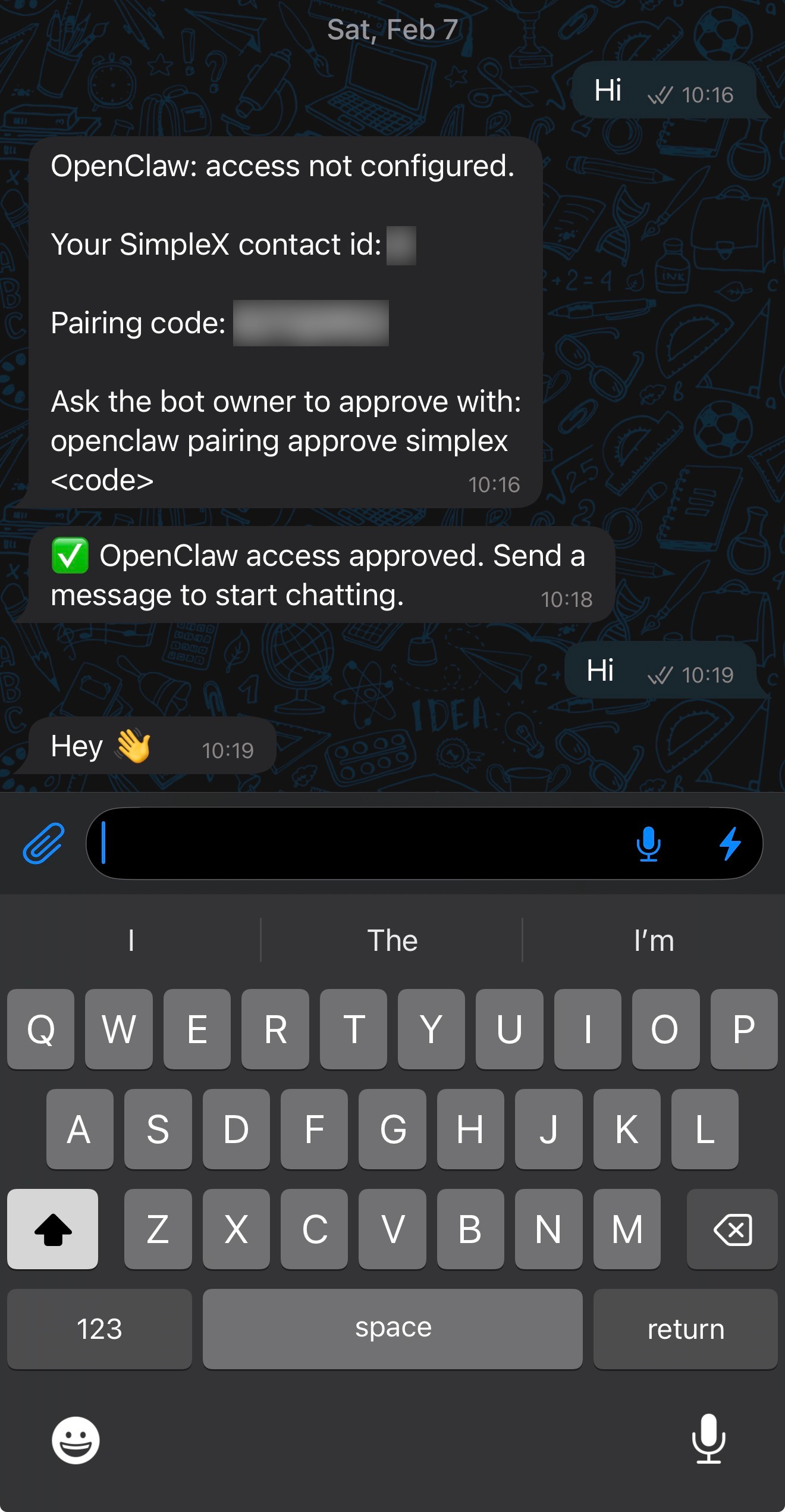
9. Send first message and receive pairing code
Send a message from the SimpleX app to the OpenClaw contact.
OpenClaw creates a pairing request and returns an approval code.
10. Approve in OpenClaw
List pairing requests and get the code:
openclaw pairing listPairing request table in OpenClaw:

Approve the pairing request:
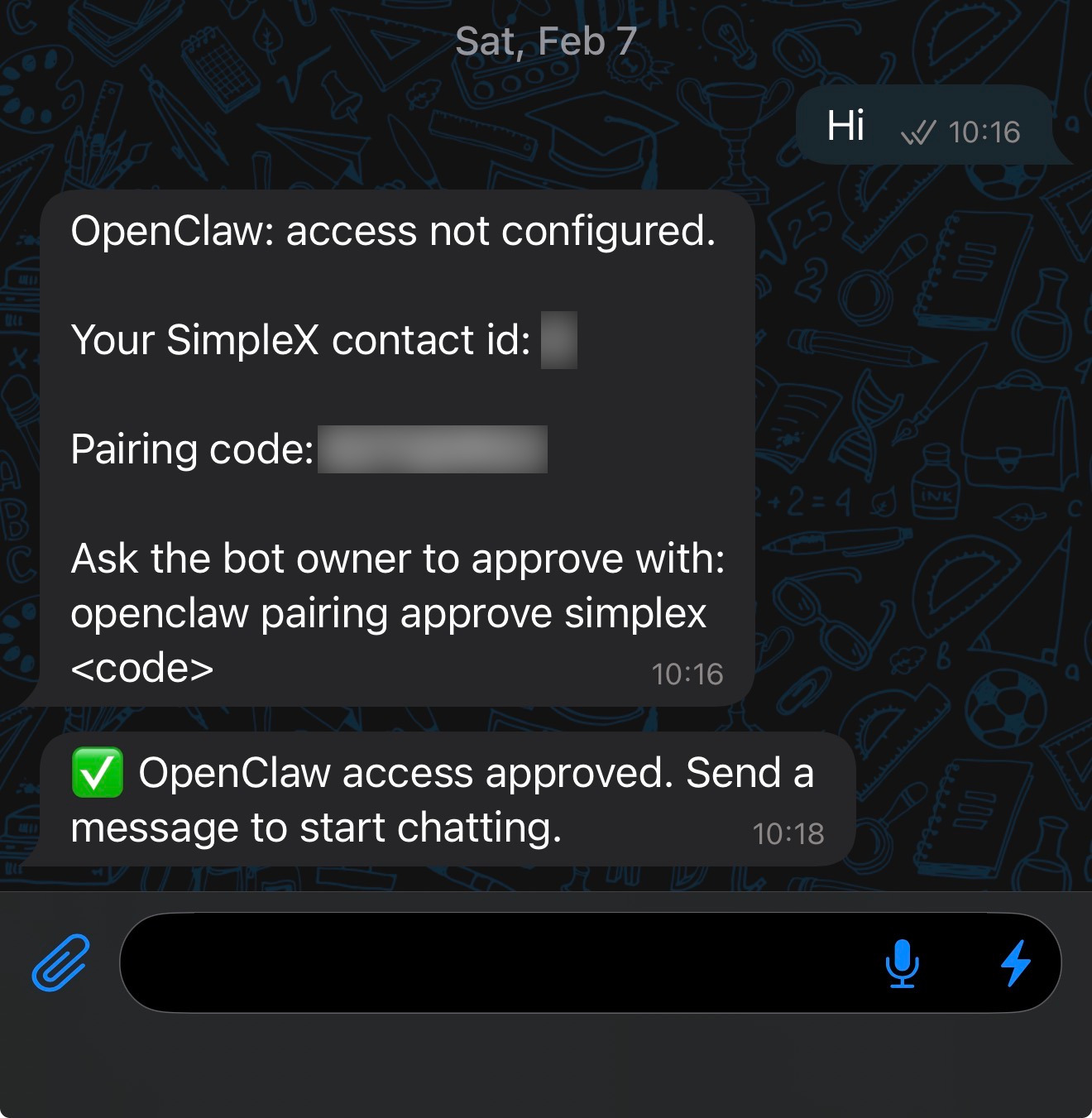
openclaw pairing approve simplex <code>SimpleX app shows approval confirmation:
11. Confirm and chat
After approval, send a new message from the SimpleX app.
OpenClaw should now accept and process messages from that contact.
More screenshots: Screenshots